
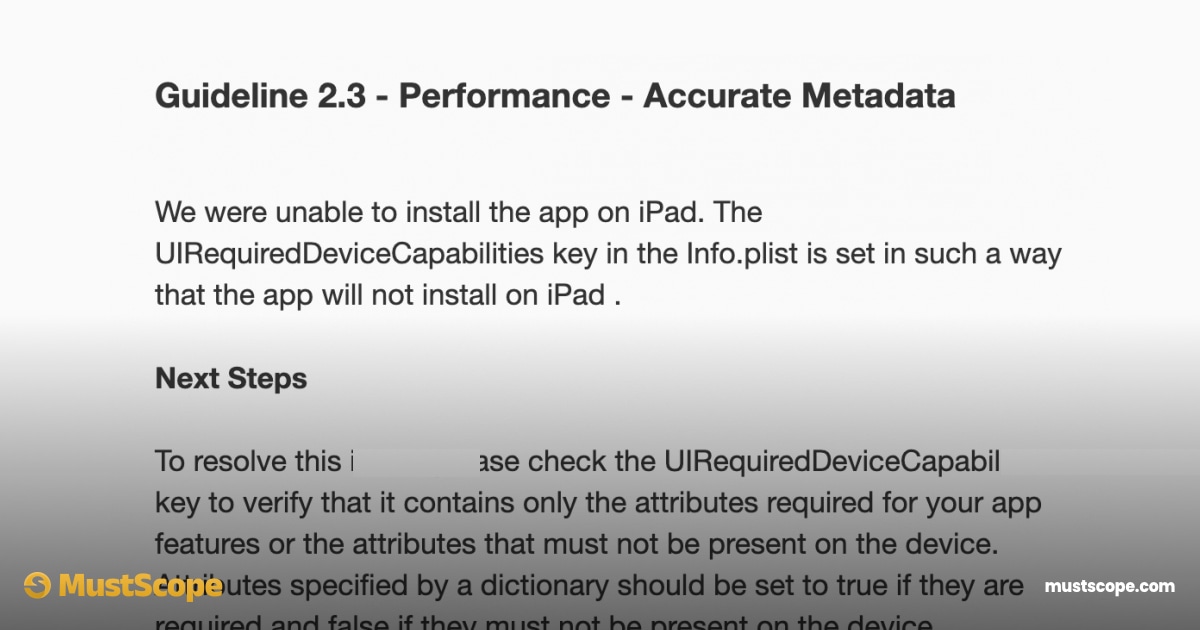
Has your app ever been rejected due to annoying Guideline 2.3 - Performance - Accurate Metadata?
If so, we have a solution for you!
Apple doesn’t reject most apps because the idea is bad, the code is sloppy, or the UI isn’t polished enough. Most rejections happen for something far more frustrating - screenshots, missing privacy links, not enough information about subscriptions - general metadata.
You can spend weeks building an app, polish every animation, fix every crash, and still get rejected in minutes because you forgot a link, used placeholder text, or copied a privacy policy that doesn’t match what your app actually does.
And the worst part? Apple rarely explains it clearly.
If you’ve ever stared at an App Store rejection email thinking “are you serious?”, this is why.
The core of the problem
Apple treats metadata as part of the product. Not as marketing. Not as paperwork. As functionality. If the metadata is incomplete, misleading, or inconsistent, the app is considered unfinished.
One of the biggest reasons apps get rejected is a missing or invalid privacy policy URL. Apple doesn’t care if your app “barely collects data” or “only stores things locally.” If the app exists, it needs a privacy policy. And not a generic one. It needs to match what the app actually does. If your app stores emails, uses analytics, or touches user-generated content, and your privacy policy doesn’t mention it, that’s a rejection waiting to happen.
Another common problem is placeholder or copied text. Apple reviewers see hundreds of apps a day. They immediately recognize boilerplate terms of use, template privacy policies, and contact pages that lead nowhere. A privacy policy that says “we may collect personal information” without explaining what that means is a red flag. A contact page that’s missing or leads to a dead email address is another.
AppStore Screenshots
Screenshots are another silent killer. Apple doesn’t reject apps just because screenshots look bad, but they do reject apps when screenshots misrepresent functionality. If your screenshots imply features that aren’t present, suggest financial services you don’t actually provide, or show flows that don’t exist, Apple considers that misleading metadata. Even wording alone can be enough to trigger a rejection.
Then there’s the mismatch problem. Your App Store description says one thing, your screenshots suggest another, and your actual app behavior tells a third story. Apple reviewers cross-check all of it. If your description says “track expenses,” but your app asks for permissions that make no sense for that use case, the review stops there.
What makes this especially painful is that none of these issues are technical. They don’t show up in Xcode. They don’t appear in TestFlight. You only find out after waiting days for review.
This is exactly why metadata slows down launches more than code. Developers underestimate it, rush it at the end, and assume Apple will be flexible. Apple isn’t.
Placeholder Text and Boilerplate Pages
Apple reviewers see thousands of apps. They immediately recognize placeholder content.
Terms of use that read like a legal template, privacy policies that say “we may collect information,” or contact pages that go nowhere are red flags. Apple doesn’t expect you to write a law thesis, but they do expect intent and clarity.
If a page looks unfinished or generic, it’s treated as unfinished.
How to avoid the rejections?
The fastest way to avoid these rejections is to treat metadata as part of development, not as an afterthought. Write your privacy policy based on what the app actually does. Make sure every required link works. Align screenshots, descriptions, and in-app behavior so they all tell the same story.
If that sounds like a lot of work, that’s because it is. And it’s why tools like MustScope exist. Not to replace thinking, but to remove the pointless friction of writing, formatting, and hosting metadata correctly every single time you ship an app.
Apple doesn’t reject apps because they’re bad. They reject apps because they’re incomplete. Metadata is part of completeness.
Ignore it, and Apple will remind you.
Conclusion
Most App Store rejections aren’t about your idea, your design, or your code. They’re about trust.
Apple uses metadata to decide whether an app is safe, transparent, and ready for users. When something is missing, inconsistent, or vague, Apple doesn’t try to guess your intent. They reject first and ask questions later.
The frustrating part is that metadata mistakes are rarely complicated. A missing privacy policy link, outdated screenshots, or generic legal text is enough to block a launch you spent weeks working toward. And because these issues show up late in the process, they feel disproportionately painful.
The good news is that all of this is avoidable. Treat metadata as part of the product, not an afterthought. Make sure it reflects what your app actually does, and keep it in sync as your app evolves.
Happy coding!